App View
Open an application by selecting its name in Applications. This page shows the same kind of figures as the Overview, but for that one application only.
The TRANSACTIONS tile is live. Everything else on the page is updated every 5 to 60 minutes.
Summary tiles
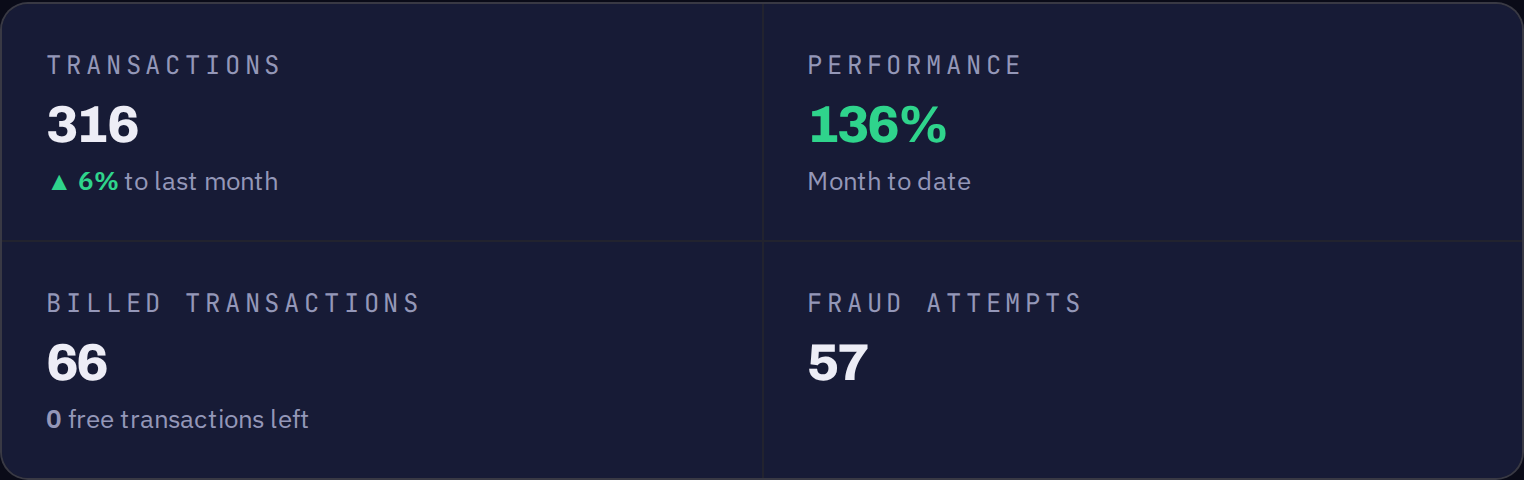
| Tile | What it shows |
|---|---|
TRANSACTIONS | Successful transactions for this application so far this month, and the difference against last month's full total. |
PERFORMANCE | Whether the application is ahead of or behind last month's pace. The count so far is compared against last month's daily average multiplied by the day of the month. |
BILLED TRANSACTIONS | Transactions above the free quota included in the plan, which are charged. Below it is showing how much of the free quota is left. |
FRAUD ATTEMPTS | Failed validation requests over the last 30 days. Requires a paid plan — see App Analytics. |
Transactions per day
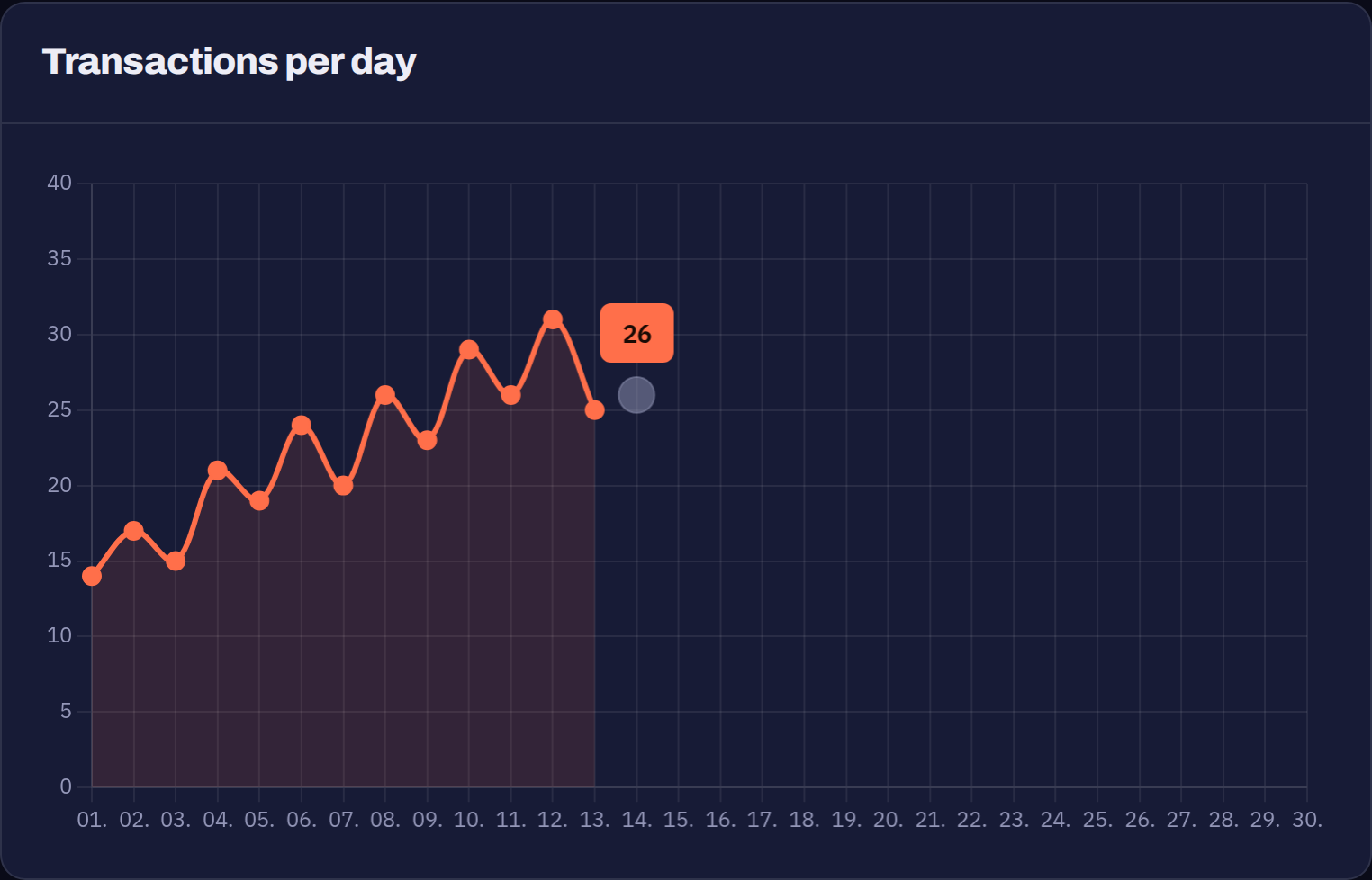
Successful transactions for each day of the current month. The final point is today, drawn as a separate marker, because the day is still in progress.
Transactions per month
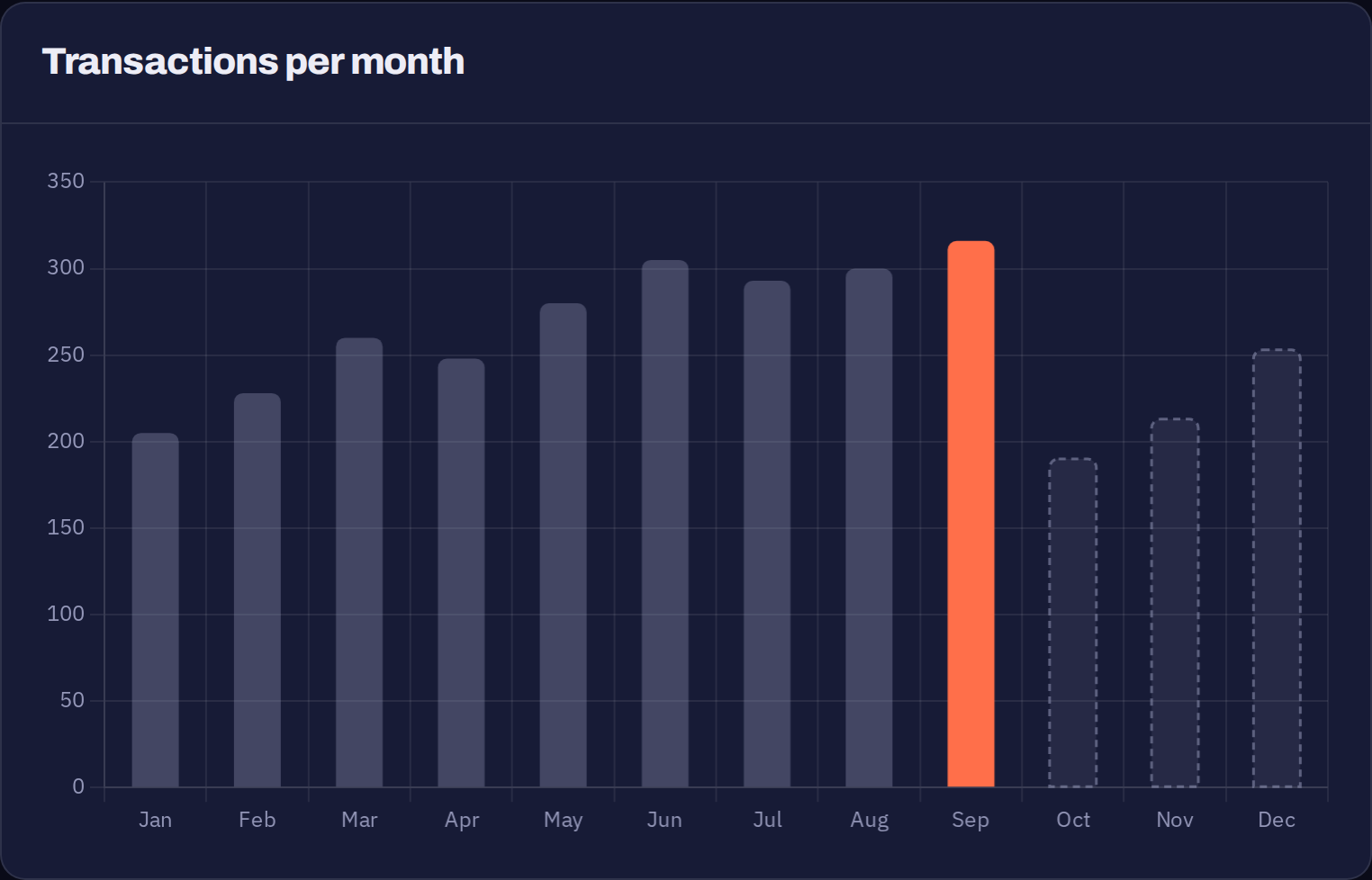
A rolling twelve months, always drawn January to December. The current month is highlighted and is taken from the daily counts above.
The months after the current one still hold last year's figures. In the screenshot above, September is the current month, so October to December show last year's totals. Each slot is overwritten when that month comes around again.
Transactions per year
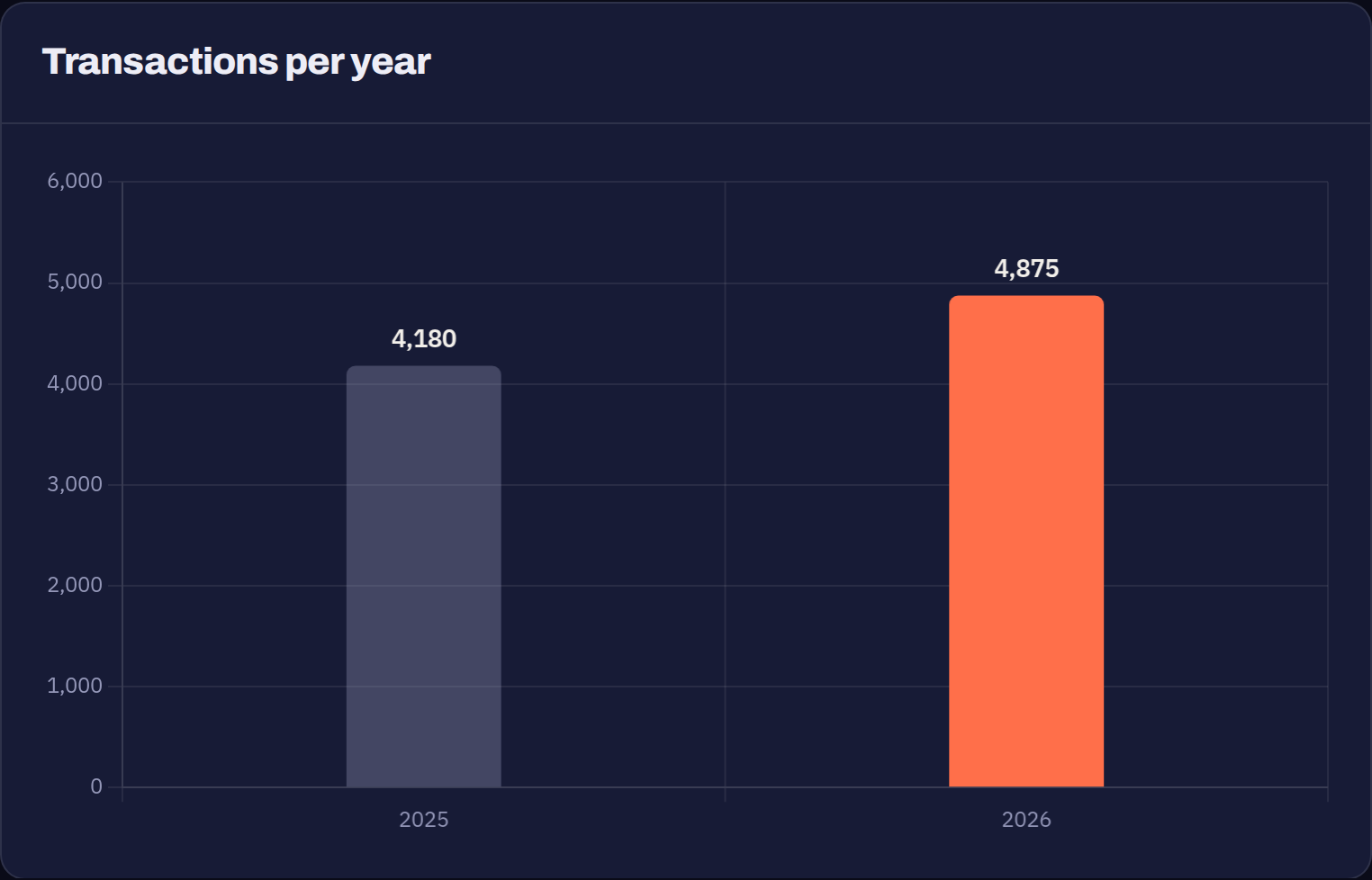
Last year's total against this year's to date, including the current month. Useful for a like-for-like view once the year is well under way. Early in January the comparison is naturally still building up.
Transactions
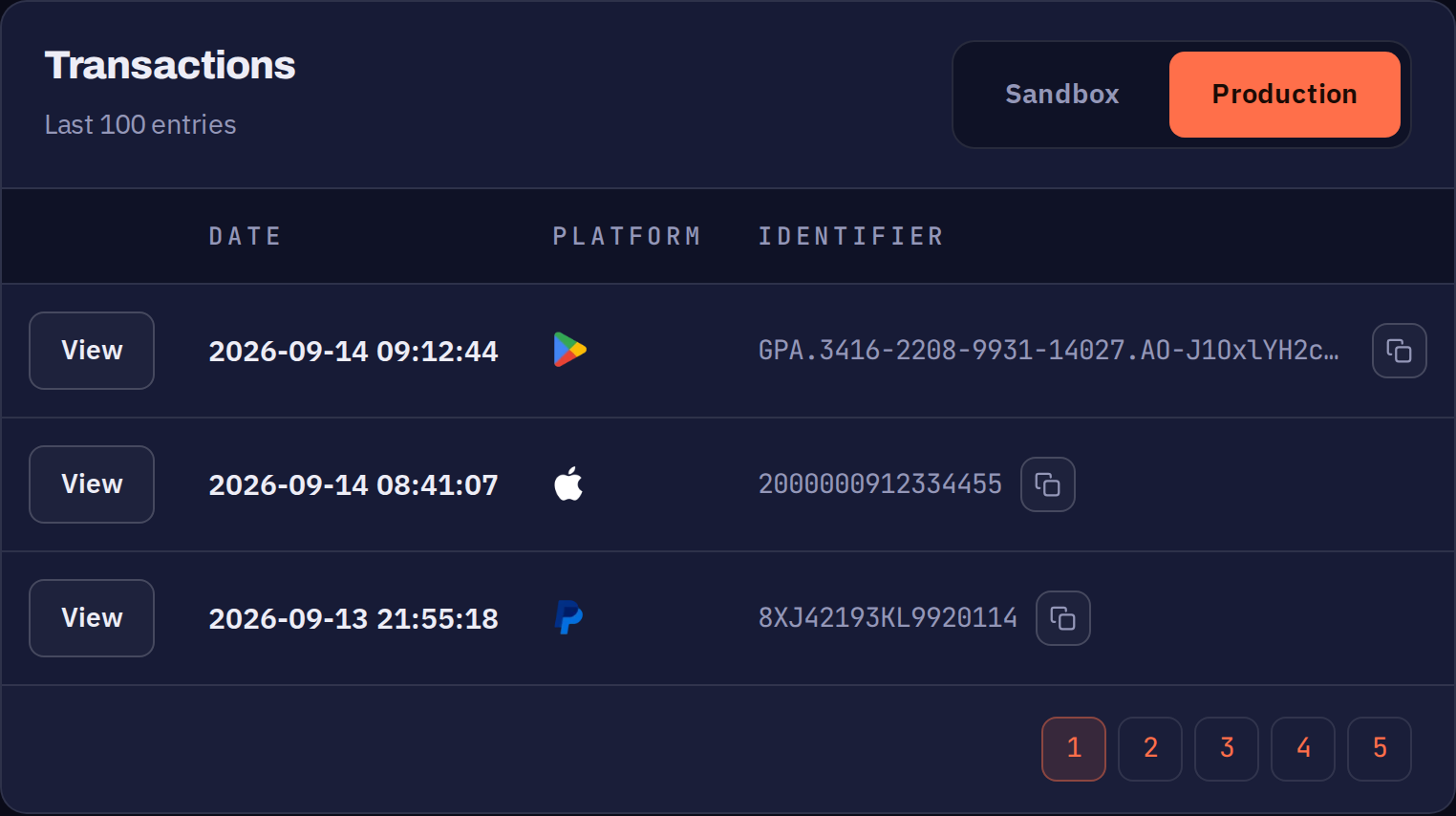
The most recent successful transactions, 20 per page.
| Column | What it shows |
|---|---|
View | Opens the full receipt data the store returned for this transaction. |
DATE | When the transaction was validated, in the timezone set in your profile. |
PLATFORM | The store the purchase came from. |
IDENTIFIER | The store's unique transaction identifier. Long values are shortened — use the copy button to get the full value. |
Two tabs split the list by environment:
| Tab | What it shows |
|---|---|
Production | Real purchases. The last 100 entries. |
Sandbox | Test purchases. Only the last two weeks are kept. |